Video walkthrough

Video walkthrough

Deployment, first run, and evidence bundle download - step by step. No audio in this version - apologies. A narrated version is coming soon.

What to expect

Provisioning and setup can take up to 10 minutes on first launch.
1
Brev provisions a GPU instance
A fresh GPU instance is allocated in your Brev environment. You may need Brev balance for GPU time.
2
Startup script pulls the benchmark repo
The latest public reproduction harness is cloned from github.com/TeleMemetry/reproduce.
3
The local benchmark service starts automatically
Dependencies install and the benchmark server starts. This phase takes most of the setup time.
4
Services healthy - click the benchmark link in Brev
When the service is ready, Brev shows a link to the local benchmark page. Click it to open the interface.
5
Benchmark runs produce result files and evidence bundles
Each run writes SHA256 receipts, a per-probe scoring log, and a versioned downloadable evidence bundle.

Visual walkthrough

Step-by-step screenshots

Hover any screenshot to zoom. Add your notes in the comment area below each image.
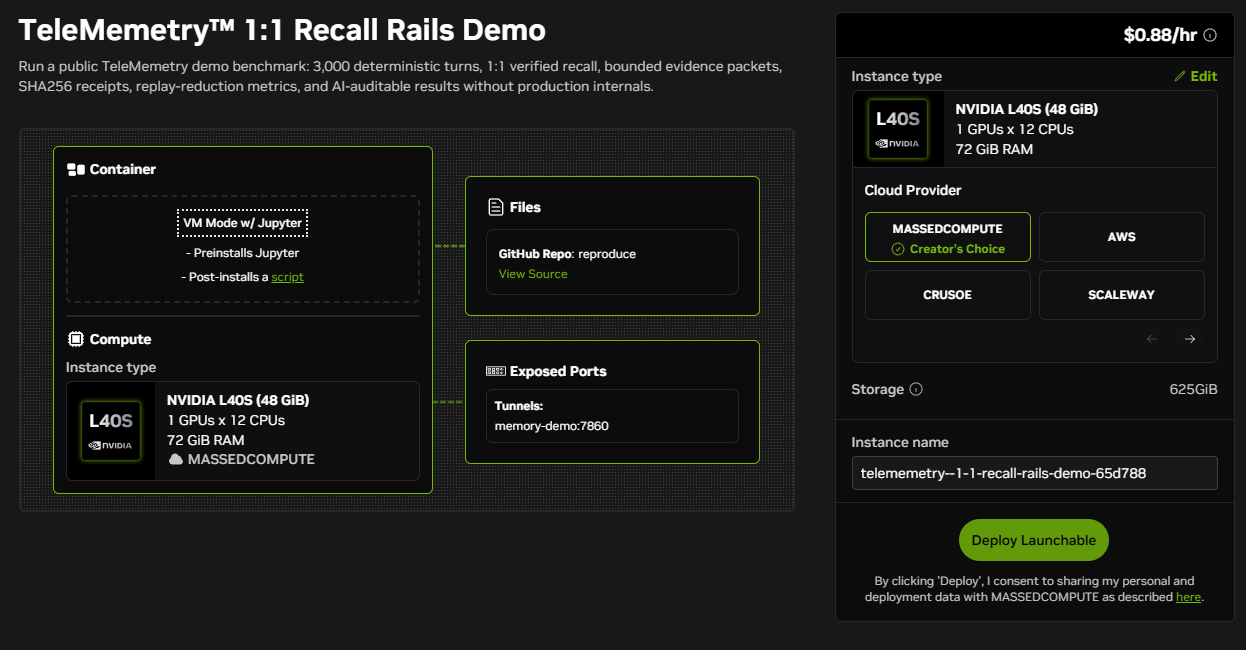
Launchable deploy page
01 Launchable deploy page
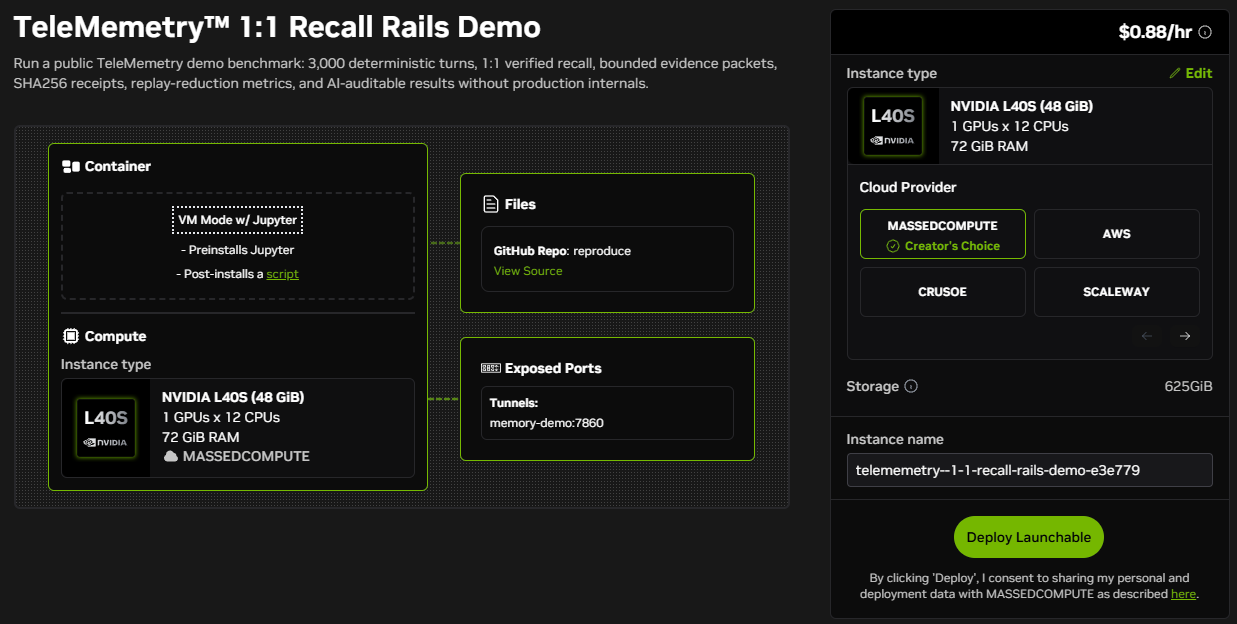
L40S (48 GiB), 12 CPUs, 72 GiB RAM on MassedCompute. Hardware and cloud provider are pre-selected. Click Deploy Launchable.
Sign in to NVIDIA
02 Sign in to NVIDIA
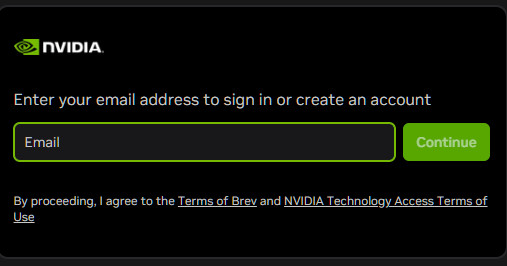
NVIDIA account required for Brev billing. Enter your email to sign in or create a free account.
Confirm and deploy
03 Confirm and deploy
Signed in. Brev auto-generates a unique instance name. Confirm the instance type and click Deploy Launchable to start provisioning.
GPU provisioning
04 GPU provisioning
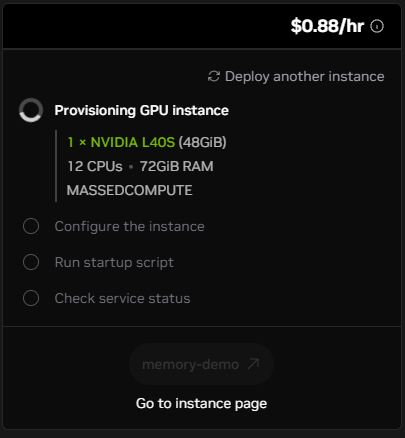
Brev allocates the L40S instance on MassedCompute. Configure, startup script, and health check run automatically in sequence.
All systems ready
05 All systems ready
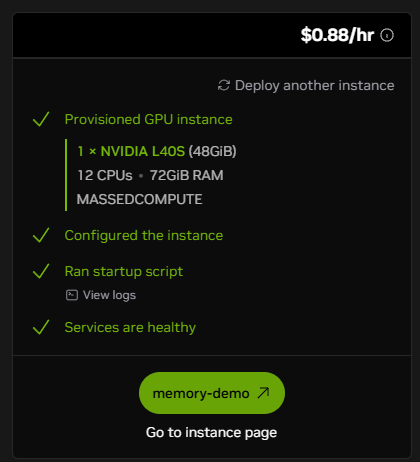
All four steps show green checkmarks. GPU provisioned, instance configured, startup script ran, services healthy. Click memory-demo to open the benchmark.
Benchmark app - Verify + Package
06 Verify + Package
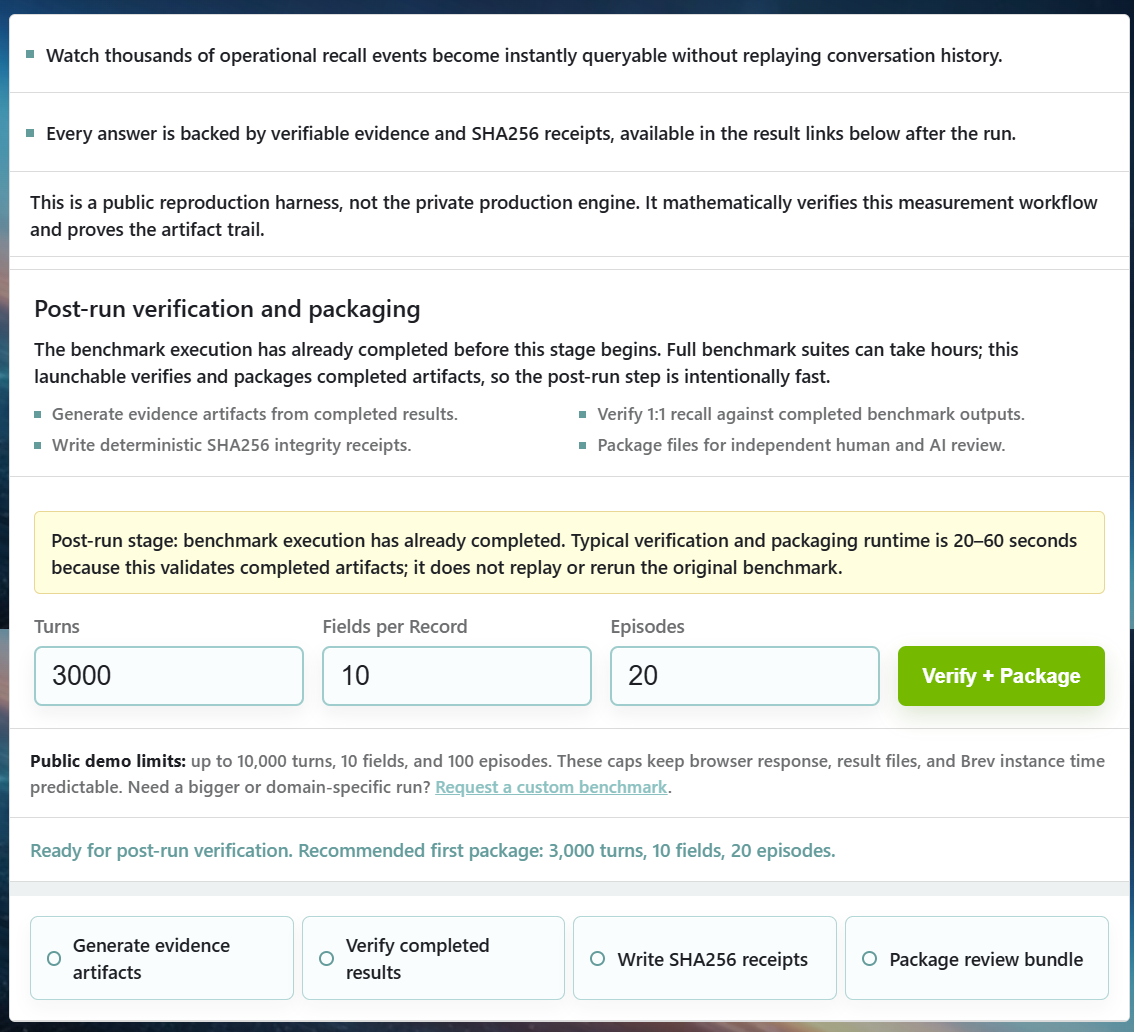
The benchmark app is open. 3,000 turns, 10 fields, 20 episodes are pre-filled. Click Verify + Package to generate evidence artifacts and SHA256 receipts.
Verification complete
07 Verification complete
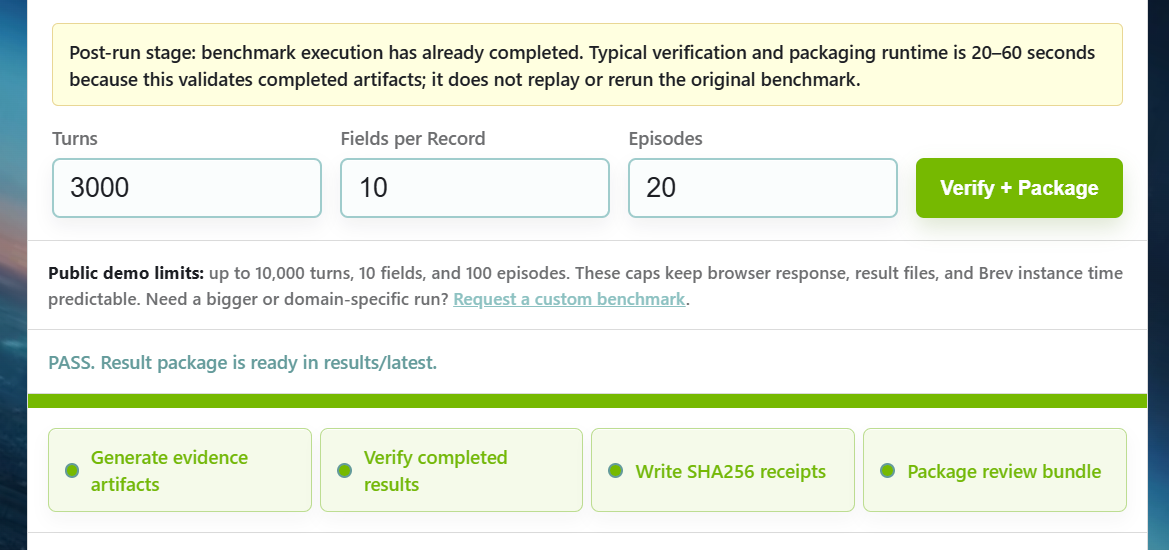
PASS. Result package is ready in results/latest. All four pipeline stages are green: evidence artifacts, verified results, SHA256 receipts, review bundle.
Results summary
08 Results summary
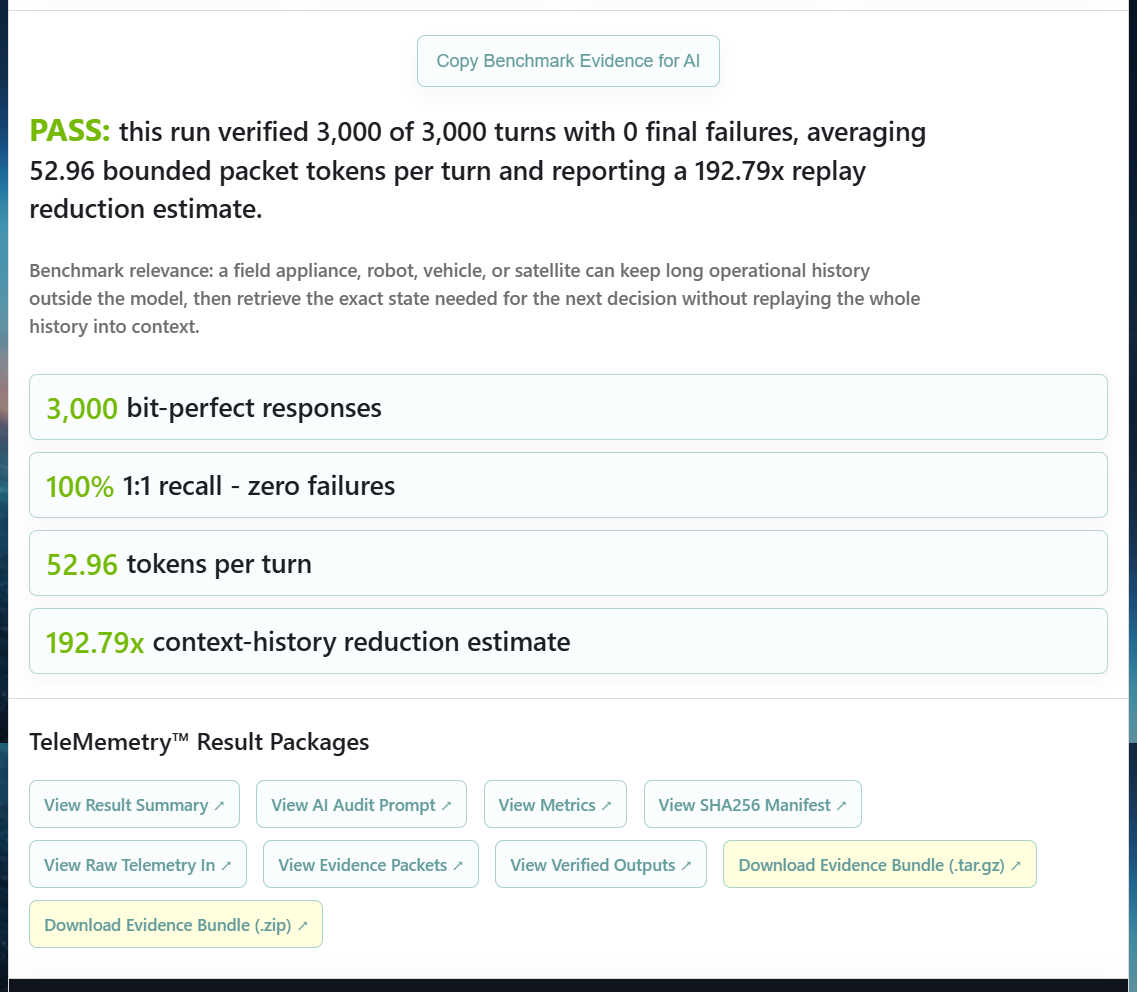
3,000 of 3,000 turns verified. 0 failures. 52.96 tokens per turn. 192.79x context-history reduction estimate. Download links for the full evidence bundle appear below.
Machine-readable result file
09 Machine-readable result file
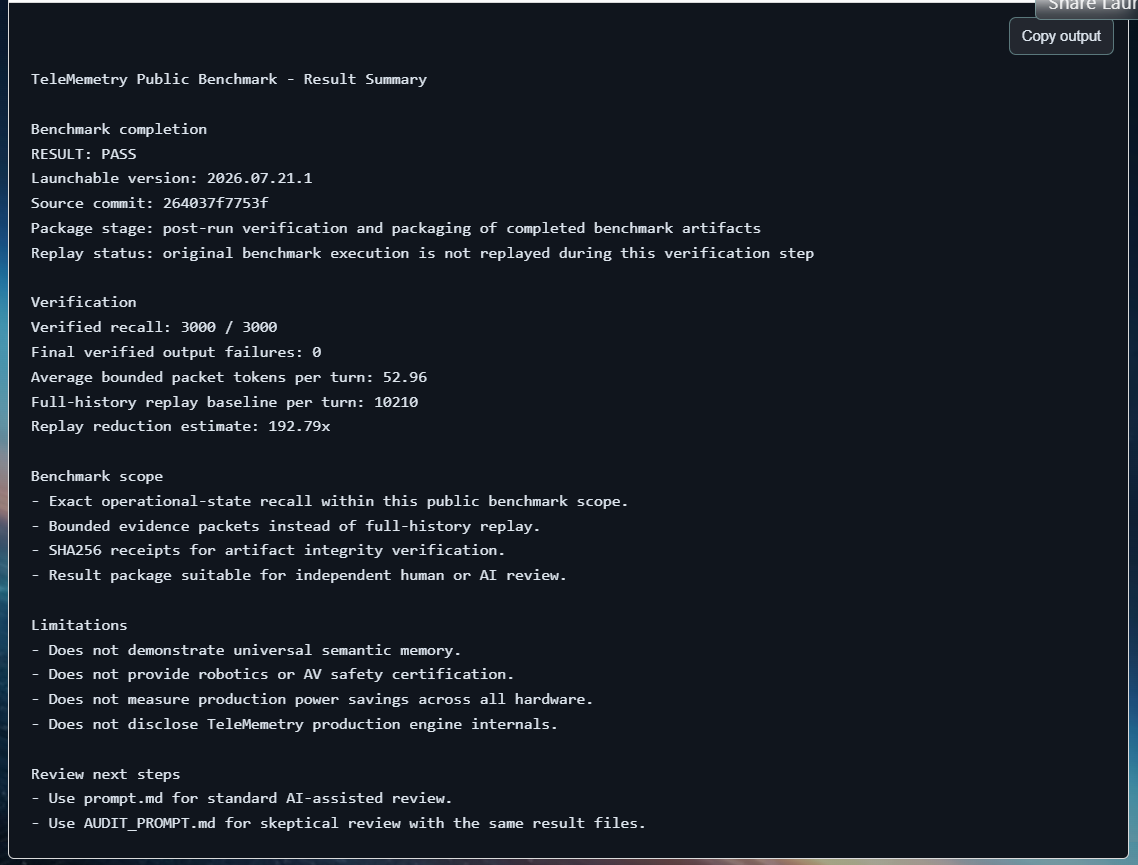
RESULT: PASS. Verified recall 3000/3000, zero output failures, 52.96 average tokens per turn, 192.79x replay reduction. Source commit and launchable version recorded for audit.
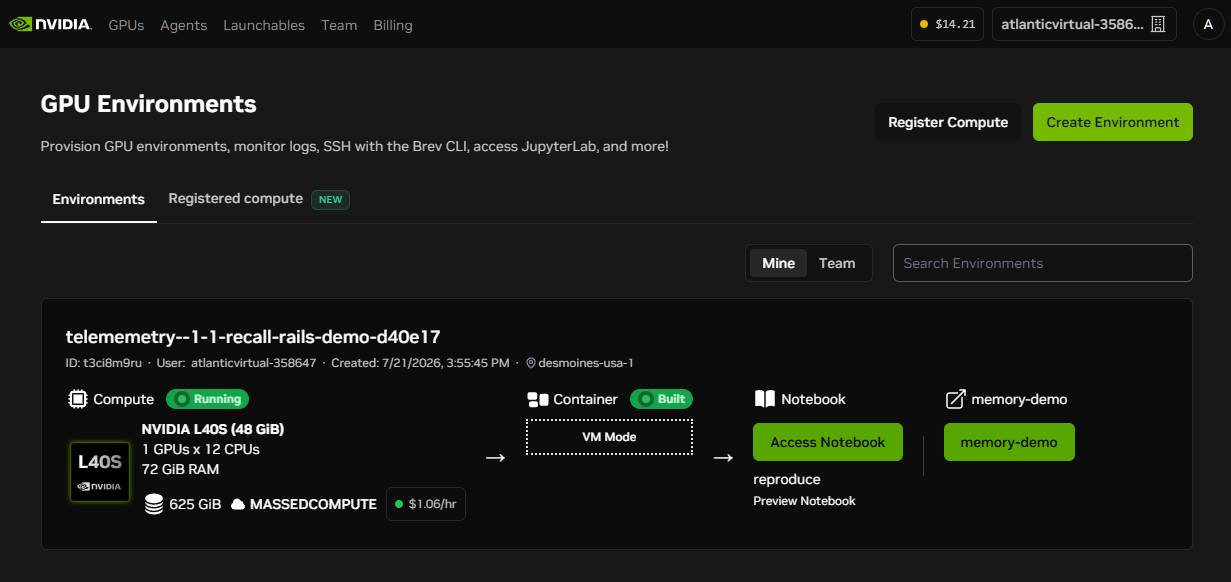
GPU Environments dashboard
10 GPU Environments dashboard
Brev GPU Environments dashboard. Instance is Running, container Built. The memory-demo service link and Jupyter notebook are both accessible. If you see this bottom panel you are paying for your instance - click it to delete it to stop billing.
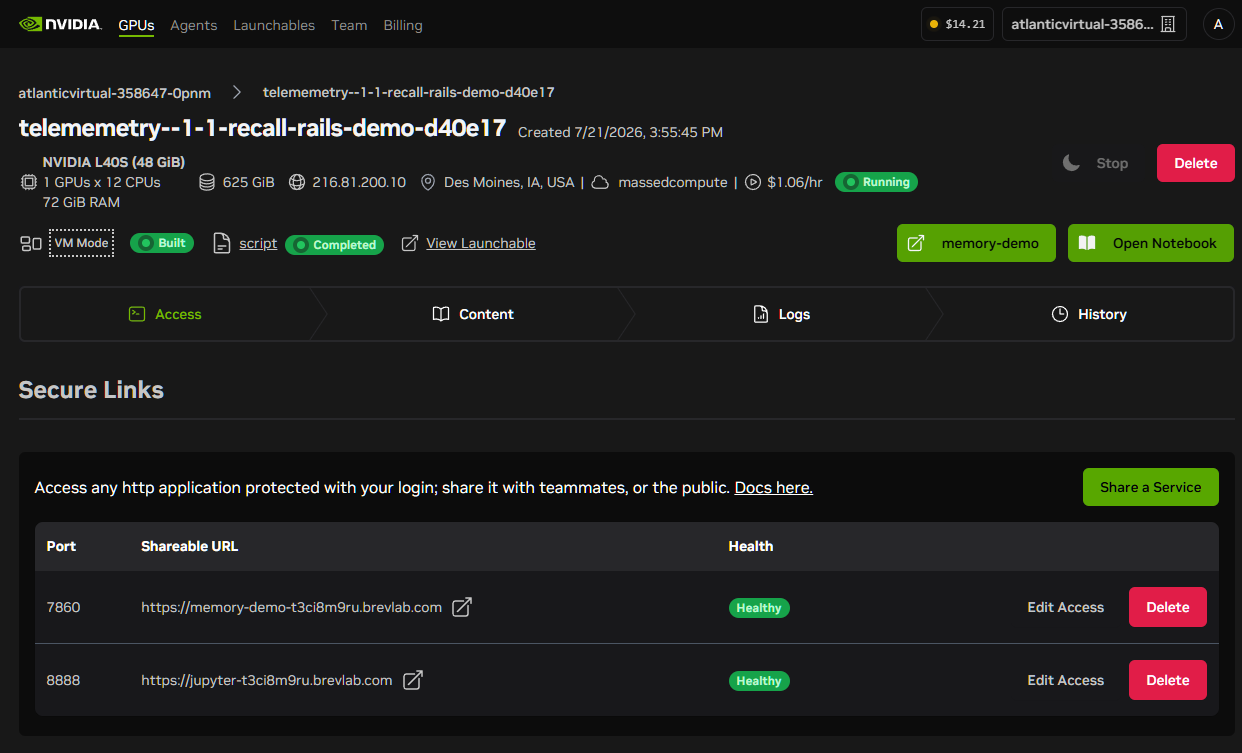
Secure Links - services healthy
11 Secure Links
Instance detail view. Port 7860 (benchmark app) and port 8888 (Jupyter) both show Healthy. The benchmark URL is shareable with teammates or auditors.
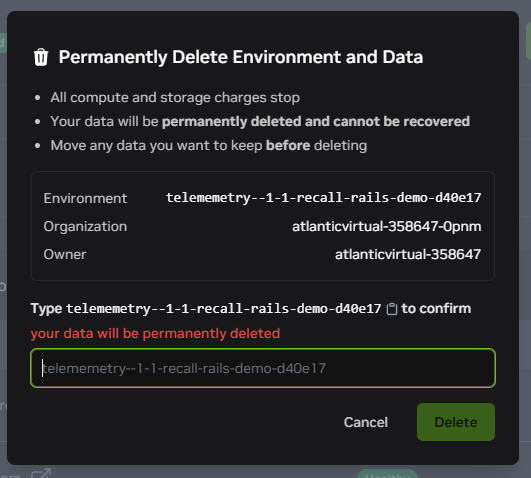
Delete the environment when done
12 Delete when done
When your run is complete, delete the environment to stop billing. Download your evidence bundle first - data cannot be recovered after deletion.

Before you launch

What this benchmark demonstrates

The public Launchable demonstrates bit-perfect operational recall within the public benchmark scope. It verifies that the probe-answer-score pipeline produces the reported numbers against the public nuPlan telemetry subset, and that the resulting evidence bundle is SHA256-verifiable.

It does not prove production TeleMemetry internals. It does not claim to replace all databases, RAG, compression, or pruning in all systems. The certified registry runs in the evidence library are produced by the private production harness and carry the full artifact chain required for engineering due diligence.

Read the full IP boundary statement →

Ready to run

Launch on NVIDIA Brev

Click the button below to open the NVIDIA Brev deploy page. Provisioning and setup take up to 10 minutes. When the service is healthy, click the link shown in Brev to open the local benchmark interface.

Billing note: when the run is finished, download your evidence bundle and delete the Brev environment. Closing the benchmark page does not stop GPU billing.